
USB Hubs and Adapters
What Is a Thunderbolt Docking Station?
Learn what a Thunderbolt docking station does, how it connects displays and accessories, and how to check Thunderbolt, USB-C, and computer compatibility.
Compare USB hubs, adapters, docks, and cables for connecting devices and adding ports to your computer.
Learn what a Thunderbolt docking station does, how it connects displays and accessories, and how to check Thunderbolt, USB-C, and computer compatibility.
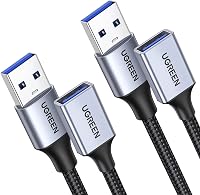
A USB extension cable adds reach between a computer and USB device. Learn connector types, practical uses, speed limits, and how to choose the right length.
Learn how to choose a USB 3.0 hub with HDMI by checking the host port, video support, USB speeds, charging, displays and device compatibility.

Compare a USB-C to USB-A adapter or hub for ports, data, charging, displays and daily setup. Choose the connection that fits your devices.

Compare the best USB Wi-Fi adapter for PC picks by Wi-Fi standard, antenna design, operating system support and setup needs for desktop computers.
Compare the best USB-C hub options for laptops and desktops, including HDMI, fast data, card readers, Ethernet and USB-C Power Delivery.

Learn what an SD card reader does, how it connects memory cards to a computer, which slots and ports matter, and which reader fits your setup.
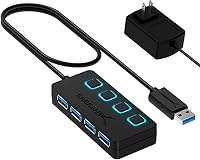
Learn how to choose a USB hub for speed, power, ports, displays, storage and networking, with clear guidance for laptops, PCs and docks.

USB-C to HDMI adapter or cable? Compare flexibility, charging, length, display support and setup needs to choose the right HDMI connection.
Compare the best Anker USB 3.0 hub options with powered alternatives, port counts, data speeds, USB-A compatibility and setup advice.
Compare the best USB extension cable picks for data, charging, webcams, keyboards and long desk setups, with USB-A and USB-C options.