7 Best All-in-One Printers for Home (November 2026)
The best all-in-one home printers include the Canon MegaTank G3270 All-in-One Wireless Color Printer for lower cartridge replacement needs, the Canon PIXMA TR8620a for fax and document feeding, and the Epson EcoTank ET-2800 Wireless Color All-in-One Supertank for refillable tank printing.
On this page (11 sections)
- Which all-in-one printer is best for home use?
- How do these home all-in-one printers compare?
- Best all-in-one printer for routine home printing
- Best all-in-one printer scanner copier with fax
- Best refillable all-in-one printer for home printing
- Best home all-in-one for everyday color and photos
- Best all-in-one printer copier scanner for busy home offices
- Best compact home printer with refillable tanks
- Best home all-in-one with touchscreen and cloud apps
- What should you check before choosing a home printer?
- Which all-in-one printer should you choose for home?
The Canon MegaTank G3270 is the best all-in-one printer for most homes because it combines wireless printing, copying, and scanning with a refillable tank and high stated page yields. For fax and automatic document feeding, choose the Canon PIXMA TR8620a; for duplex paperwork and a larger tray, consider the HP OfficeJet Pro 8135.
A home printer can handle homework, forms, copies, and scans without taking on every feature found in an office machine. Match the printer's ink system, paper handling, and functions to how often your household uses it.
If you want a wider overview of printer types and features, start with our home printer buying guide. For a dedicated home-office shortlist, see our picks for the best all in one printer for home office.
Our picks at a glance
-
1
 Best for lower cartridge replacement needs
Canon MegaTank G3270 All-in-One Wireless Color Printer
9.7/10 our score
See it on Amazon -
2

-
3
 Best for refillable tank printing
Epson EcoTank ET-2800 Wireless Color All-in-One Supertank
9.5/10 our score
See it on Amazon
- 4
 Check it
HP Envy 6155 Wireless All-in-One Color Inkjet
Best for everyday color and photos - 5
 Check it
HP OfficeJet Pro 8135 Wireless All-in-One Color
Best for busy home offices - 6
 Check it
Epson EcoTank ET-2900 Wireless All-in-One Color Supertank
Best for compact tank printing - 7
 Check it
Brother Work Smart 1410 Wireless Color Inkjet
Best for touchscreen and cloud apps
Which all-in-one printer is best for home use?
The Canon MegaTank G3270 is the strongest general fit for routine household printing, copying, and scanning. It pairs wireless functions with an included ink supply and stated yields of up to 6,000 black-and-white or 7,700 color pages per ink set.
Our score weighs specs, features, and buyer feedback against what you're shopping for. The models below are ordered by their scores, with picks for different home printing patterns.
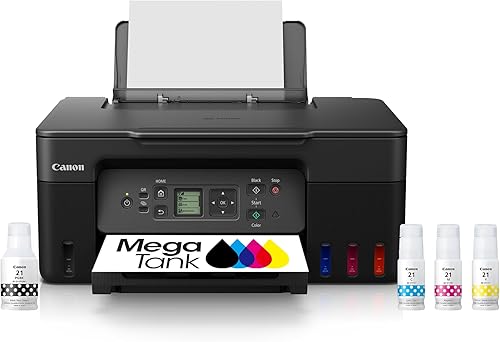
Canon MegaTank G3270 All-in-One Wireless Color Printer: Best for lower cartridge replacement needs
- Wireless print, copy, and scan
- Up to 2 years of ink included
- Single-sided printing
- Up to 6,000 black and white or 7,700 color pages per ink set
The refillable tank system and stated page yields suit households that print often and want to replace ink less frequently. It prints single-sided, so it may not fit a routine that depends on automatic duplexing.
Pros
- Wireless printing, copying, and scanning
- Up to 2 years of ink included
- High stated yield per ink set
Cons
- Single-sided printing only
- No automatic document feeder specified
Canon PIXMA TR8620a: Best for fax and document feeding
- Print, copy, scan, and fax
- Automatic document feeder
- Automatic two-sided printing
- 200-sheet capacity
Fax, an auto document feeder, and automatic two-sided printing cover more paperwork tasks than a basic home all-in-one. Its two 100-sheet feeds split paper between the cassette and rear feed.
Pros
- Four functions including fax
- Auto document feeder
- Automatic two-sided printing
Cons
- Ink tank page yield not specified
- Includes two paper feeds to manage
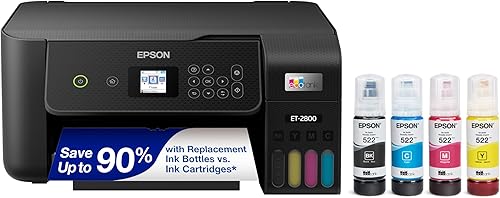
Epson EcoTank ET-2800 Wireless Color All-in-One Supertank: Best for refillable tank printing
- Refillable ink tanks
- Wireless print, scan, and copy
- Up to 2 years of ink included
- Up to 4,500 black and 7,500 color pages per bottle set
The ET-2800 combines wireless everyday functions with refillable tanks and stated bottle-set yields. It uses simplex printing, so compare it with a duplex model if you often print on both sides.
Pros
- Refillable ink tanks
- Wireless connectivity
- Up to 2 years of ink included
Cons
- Simplex printing
- No automatic document feeder specified
HP Envy 6155 Wireless All-in-One Color Inkjet: Best for everyday color and photos
- Print, scan, and copy
- Automatic two-sided printing
- 100-sheet input tray
- 2.4-inch color touchscreen
Automatic duplexing, a touchscreen, and a 100-sheet tray suit routine documents and color photo printing. It uses cartridges, so check the ongoing ink options and HP cartridge requirements before choosing.
Pros
- Automatic two-sided printing
- Color touchscreen
- Wireless and mobile printing
Cons
- Cartridge-based ink
- No automatic document feeder specified
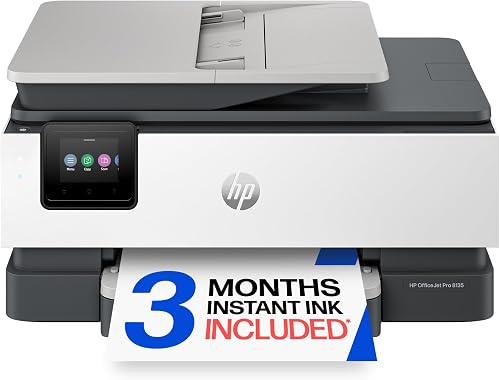
HP OfficeJet Pro 8135 Wireless All-in-One Color: Best for busy home offices
- Print, scan, copy, and fax
- Automatic document feeder
- Automatic two-sided printing
- 225-sheet input tray
The larger tray, auto document feeder, fax, and stated print speeds up to 20 pages per minute in black suit heavier home-office paperwork. Its features may be more than a household needs for occasional printing.
Pros
- 225-sheet input tray
- Automatic document feeder
- Fax and automatic duplex printing
Cons
- Larger feature set for occasional home use
- HP cartridge requirements apply
Epson EcoTank ET-2900 Wireless All-in-One Color Supertank: Best for compact tank printing
- Refillable ink tanks
- Up to 3 years of ink included
- Up to 3,600 black and 6,500 color pages per bottle set
- 100-sheet tray
This refillable tank model combines a 100-sheet tray with stated ink yields for regular home printing. It prints single-sided, so it is less suited to households that want automatic two-sided output.
Pros
- Refillable tanks with keyed bottles
- Up to 3 years of ink included
- 100-sheet tray
Cons
- Simplex printing
- No automatic document feeder specified
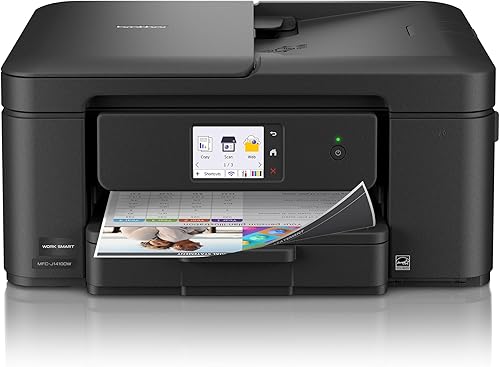
Brother Work Smart 1410 Wireless Color Inkjet: Best for touchscreen and cloud apps
- Print, copy, and scan
- Automatic two-sided printing
- 20-sheet single-sided automatic document feeder
- 150-sheet tray
The touchscreen can connect to popular cloud apps, and the automatic document feeder and duplex printing help with routine paperwork. The tray holds 150 sheets, between the smaller home trays and the OfficeJet Pro's larger tray.
Pros
- 2.7-inch color touchscreen
- Automatic two-sided printing
- Cloud app connections
Cons
- Cartridge-based ink
- Automatic document feeder handles single-sided originals
How do these home all-in-one printers compare?
The main differences are ink system, paper handling, and added functions such as fax or an automatic document feeder. For a laser option, compare Brother laser all-in-one printers.
Use this table to narrow the shortlist before reading each model's details.
| Product | Best for | Functions | Ink system | Printing | Our score |
|---|---|---|---|---|---|
| Canon MegaTank G3270 All-in-One Wireless Color Printer | lower cartridge replacement needs | Print, copy, scan | Refillable ink bottles | Single-sided | 9.7 |
| Canon PIXMA TR8620a | fax and document feeding | Print, copy, scan, fax | 9.5 | ||
| Epson EcoTank ET-2800 Wireless Color All-in-One Supertank | refillable tank printing | Print, scan, copy | Refillable ink tanks | 9.5 | |
| HP Envy 6155 Wireless All-in-One Color Inkjet | everyday color and photos | Print, scan, copy | 9.4 | ||
| HP OfficeJet Pro 8135 Wireless All-in-One Color | busy home offices | Print, scan, copy, fax | 9.3 | ||
| Epson EcoTank ET-2900 Wireless All-in-One Color Supertank | compact tank printing | Print, scan, copy | 9.0 | ||
| Brother Work Smart 1410 Wireless Color Inkjet | touchscreen and cloud apps | Print, copy, scan, fax | 8.7 |
Best all-in-one printer for routine home printing
The Canon MegaTank G3270 is the leading choice if you want basic wireless print, copy, and scan functions with refillable ink tanks. Canon includes ink bottles and states that one set can print up to 6,000 black-and-white or 7,700 color pages.
Canon MegaTank G3270 All-in-One Wireless Color Printer: Best for lower cartridge replacement needs
- Wireless print, copy, and scan
- Up to 2 years of ink included
- Single-sided printing
- Up to 6,000 black and white or 7,700 color pages per ink set
The refillable tank system and stated page yields suit households that print often and want to replace ink less frequently. It prints single-sided, so it may not fit a routine that depends on automatic duplexing.
Pros
- Wireless printing, copying, and scanning
- Up to 2 years of ink included
- High stated yield per ink set
Cons
- Single-sided printing only
- No automatic document feeder specified
Its single-sided printing is the main tradeoff. If you regularly print long documents on both sides, choose a model with automatic duplexing instead.
The 1.35-inch square LCD gives you a small built-in display, and the printer supports wireless work with compatible devices such as smartphones and tablets. See wireless printers for home use for more options.
It's a practical feature set for a home that wants to print documents or make quick copies without adding fax or document-feeding hardware.
Canon says the box includes up to 2 years of ink. Actual yield depends on what you print and how often, so use the stated page count as a guide rather than a promise for every household.
Choose the G3270 if refillable tanks and high stated yields matter more than duplexing. For wireless options across a broader set of models, compare our guide to the best all-in-one printer wireless.
Best all-in-one printer scanner copier with fax
The Canon PIXMA TR8620a is the best fit here if your home needs printing, scanning, copying, and faxing in one device. Its auto document feeder and automatic two-sided printing also help with recurring paperwork.
Canon PIXMA TR8620a: Best for fax and document feeding
- Print, copy, scan, and fax
- Automatic document feeder
- Automatic two-sided printing
- 200-sheet capacity
Fax, an auto document feeder, and automatic two-sided printing cover more paperwork tasks than a basic home all-in-one. Its two 100-sheet feeds split paper between the cassette and rear feed.
Pros
- Four functions including fax
- Auto document feeder
- Automatic two-sided printing
Cons
- Ink tank page yield not specified
- Includes two paper feeds to manage
The TR8620a has a 200-sheet capacity, split between a 100-sheet cassette and a 100-sheet rear feed. That layout offers more paper flexibility than a single tray, though you'll need to decide which paper belongs in each feed.
Canon specifies print speeds of 15 pages per minute in black and 10 in color. It also includes a microSD slot and supports voice printing with Alexa, according to Canon's feature details.
This is a cartridge printer rather than a refillable tank model. Check replacement ink availability and ongoing costs against your print volume before making it your household's main printer.
Pick it when fax, an auto document feeder, and duplex printing are useful in the same machine. If you are deciding among Canon models, see our guide to which HP all in one printer is best for a brand comparison, or use the linked Canon model details to confirm current options.
Best refillable all-in-one printer for home printing
The Epson EcoTank ET-2800 suits homes that print regularly and want a refillable tank instead of standard cartridges. Compare the EcoTank ET-4800 review for another Epson model.
Epson specifies wireless print, scan, and copy, along with up to 4,500 black and 7,500 color pages per bottle set.
Epson EcoTank ET-2800 Wireless Color All-in-One Supertank: Best for refillable tank printing
- Refillable ink tanks
- Wireless print, scan, and copy
- Up to 2 years of ink included
- Up to 4,500 black and 7,500 color pages per bottle set
The ET-2800 combines wireless everyday functions with refillable tanks and stated bottle-set yields. It uses simplex printing, so compare it with a duplex model if you often print on both sides.
Pros
- Refillable ink tanks
- Wireless connectivity
- Up to 2 years of ink included
Cons
- Simplex printing
- No automatic document feeder specified
Epson says the ET-2800 includes up to 2 years of ink in the box. Its flatbed scanner supports basic home scanning and copying, while the wireless connection lets compatible computers and mobile devices send jobs over a home network.
The model uses simplex printing, so it does not automatically print both sides. The printer's stated maximum media size is 8.5 x 14 in, which can help if you occasionally need longer paper than standard letter size.
Epson recommends genuine ink to support print quality and performance, and says non-genuine ink could cause damage not covered by its limited warranty. Factor that guidance into your refill plan.
Choose the ET-2800 for tank capacity and routine color jobs. If color printing is the priority, compare it with the options in our guide to the best all in one color printer for home office.
Best home all-in-one for everyday color and photos
The HP Envy 6155 is a good fit for households that print color documents and photos, and want automatic two-sided printing. For photo-focused models, compare photo printers for home.
It includes print, scan, and copy functions, a touchscreen, and a 100-sheet input tray.
HP Envy 6155 Wireless All-in-One Color Inkjet: Best for everyday color and photos
- Print, scan, and copy
- Automatic two-sided printing
- 100-sheet input tray
- 2.4-inch color touchscreen
Automatic duplexing, a touchscreen, and a 100-sheet tray suit routine documents and color photo printing. It uses cartridges, so check the ongoing ink options and HP cartridge requirements before choosing.
Pros
- Automatic two-sided printing
- Color touchscreen
- Wireless and mobile printing
Cons
- Cartridge-based ink
- No automatic document feeder specified
HP specifies print speeds up to 10 pages per minute in black and 7 in color. The 2.4-inch touchscreen gives you onboard controls, and dual-band Wi-Fi supports wireless printing.
The Envy 6155 uses HP cartridges and is intended to work only with cartridges that have original HP chips or circuitry. HP says the printer may block cartridges using non-HP chips or circuitry, with periodic firmware updates maintaining those measures.
HP includes a 3-month Instant Ink trial; a monthly fee applies after the trial unless canceled. Review the subscription terms and cartridge requirements if you are comparing ink plans.
Choose this model for a color-focused household that also wants duplexing. If price is a priority, compare all-in-one printers under 100 dollars.
If you mainly print occasionally, compare the cartridge route with a refillable tank model before you decide.
Best all-in-one printer copier scanner for busy home offices
The HP OfficeJet Pro 8135 is built for heavier home-office paperwork, with fax, automatic document feeding, duplex printing, and a 225-sheet tray. Its stated speeds reach 20 pages per minute in black and 10 in color.
HP OfficeJet Pro 8135 Wireless All-in-One Color: Best for busy home offices
- Print, scan, copy, and fax
- Automatic document feeder
- Automatic two-sided printing
- 225-sheet input tray
The larger tray, auto document feeder, fax, and stated print speeds up to 20 pages per minute in black suit heavier home-office paperwork. Its features may be more than a household needs for occasional printing.
Pros
- 225-sheet input tray
- Automatic document feeder
- Fax and automatic duplex printing
Cons
- Larger feature set for occasional home use
- HP cartridge requirements apply
The 2.7-inch touchscreen and HP app support print, scan, copy, and fax tasks. An auto document feeder can help when you have multiple pages to scan or copy, and the tray holds more than the smaller home models in this roundup.
HP says prints are water-resistant, smear-resistant, and fade-resistant. It also specifies HP Wolf Essential Security and says the printer contains more than 45% recycled plastic.
As with the Envy 6155, the OfficeJet Pro 8135 uses HP cartridges with original HP chips or circuitry. Its 3-month Instant Ink trial becomes a paid monthly plan unless canceled, so include that choice in your ink planning.
Pick it for a home office that uses fax and processes stacks of documents. It may be more equipment than you need for a few pages and scans each month.
Best compact home printer with refillable tanks
The Epson EcoTank ET-2900 is a compact tank option for everyday home printing, with stated yields of up to 3,600 black and 6,500 color pages per bottle set. It includes a 100-sheet tray, flatbed scanner, and color display.
Epson EcoTank ET-2900 Wireless All-in-One Color Supertank: Best for compact tank printing
- Refillable ink tanks
- Up to 3 years of ink included
- Up to 3,600 black and 6,500 color pages per bottle set
- 100-sheet tray
This refillable tank model combines a 100-sheet tray with stated ink yields for regular home printing. It prints single-sided, so it is less suited to households that want automatic two-sided output.
Pros
- Refillable tanks with keyed bottles
- Up to 3 years of ink included
- 100-sheet tray
Cons
- Simplex printing
- No automatic document feeder specified
Epson says the box contains enough ink to last up to 3 years, based on its stated usage assumptions. Its keyed EcoFit bottles are designed to fit the corresponding tank openings, which helps reduce mix-ups during refills.
The ET-2900 prints at up to 11 pages per minute in black and 6 in color, and uses simplex printing. That makes it a better match for one-sided everyday jobs than for households that often print two-sided handouts.
The 1.44-inch color display gives you controls on the printer itself. Wireless and USB connectivity offer two ways to connect, depending on whether you print from the home network or a directly connected device.
Choose it if you want a tank printer with a modest footprint and a color screen. Consider the ET-2800 if its higher stated color page yield better matches your print volume.
Best home all-in-one with touchscreen and cloud apps
The Brother Work Smart 1410 combines printing, copying, and scanning with a color touchscreen and connections to popular cloud apps. It also includes automatic duplex printing, a 20-sheet single-sided document feeder, and a 150-sheet tray.
Brother Work Smart 1410 Wireless Color Inkjet: Best for touchscreen and cloud apps
- Print, copy, and scan
- Automatic two-sided printing
- 20-sheet single-sided automatic document feeder
- 150-sheet tray
The touchscreen can connect to popular cloud apps, and the automatic document feeder and duplex printing help with routine paperwork. The tray holds 150 sheets, between the smaller home trays and the OfficeJet Pro's larger tray.
Pros
- 2.7-inch color touchscreen
- Automatic two-sided printing
- Cloud app connections
Cons
- Cartridge-based ink
- Automatic document feeder handles single-sided originals
The Brother Mobile Connect app supports printing, copying, scanning, and device management from a mobile device. The printer can also connect over a wireless network or USB, giving you a choice if you prefer a direct connection.
Brother specifies speeds up to 16 pages per minute in black and 9 in color. The automatic document feeder handles single-sided originals, while automatic duplexing applies to printing.
Brother recommends genuine LC501 ink cartridges for this model. The included Refresh trial requires enrollment in a monthly billed plan, so check the terms if automatic ink delivery appeals to you.
Choose the Work Smart 1410 if cloud app access and an onboard touchscreen are useful for your household. Its combination of an ADF and duplex printing makes it more capable for paperwork than the simpler tank picks.
What should you check before choosing a home printer?
Choose based on the jobs you do most often: basic copies, two-sided paperwork, multi-page scans, photos, or fax. A printer with more functions can help, but only if those tools match your routine.
Does an all-in-one printer scanner copier need an automatic document feeder?
An automatic document feeder is useful when you regularly scan or copy several pages at a time. The Canon PIXMA TR8620a, HP OfficeJet Pro 8135, and Brother Work Smart 1410 include one.
A flatbed scanner can be enough for single pages, photos, or books that should not pass through a feeder. If most of your scans are one page at a time, you may not need to pay for extra paper handling.
Should a home printer have automatic duplex printing?
Automatic duplex printing is helpful if you often print multi-page documents and want both sides used without turning pages by hand. The Canon PIXMA TR8620a, HP Envy 6155, HP OfficeJet Pro 8135, and Brother Work Smart 1410 specify automatic two-sided printing.
The Canon MegaTank G3270 and both Epson EcoTank models listed here are simplex. Check this feature before you buy if double-sided schoolwork, forms, or household records are common.
Is an ink tank or cartridge model the better home printer?
An ink tank model is worth considering when your household prints regularly and wants larger stated yields between refills. The Canon MegaTank G3270 and Epson EcoTank picks use refillable tanks.
Cartridge models offer a different set of choices, including document feeders and fax on some models. Compare the ink plan, supported cartridges, and your expected page volume rather than choosing by printer price alone.
Will a home all-in-one printer fit your space?
Measure the surface where the printer will sit and leave room for paper access, cables, and opening trays or scanner lids. Dimensions vary by model, and the printer needs working space beyond its footprint.
Think about where paper will enter and exit, too. Rear-feed designs need access behind the printer, while front cassettes need clearance to pull out for loading.
Which all-in-one printer should you choose for home?
The Canon MegaTank G3270 is the clearest choice for a home that wants wireless print, copy, and scan with a refillable tank and high stated yields. Choose the Canon PIXMA TR8620a when fax, a document feeder, and duplexing matter more.
For tank printing, compare the Epson ET-2800's stated yields with the ET-2900's smaller footprint and color display. For frequent paperwork, the HP OfficeJet Pro 8135 or Brother Work Smart 1410 adds document-feeding and duplex features, while the HP Envy 6155 covers everyday color and photo jobs.
If your printer needs include toner, our guide explains whether laser printers use ink. For a different all-in-one category, read how an all-in-one computer works and see how much desk space an all-in-one computer needs.
Our top 3 picks at a glance
-
1
Best for lower cartridge replacement needs
Canon MegaTank G3270 All-in-One Wireless Color Printer
9.7/10 our score
See it on Amazon -
2
-
3
Best for refillable tank printing
Epson EcoTank ET-2800 Wireless Color All-in-One Supertank
9.5/10 our score
See it on Amazon
Frequently asked questions
What does an all-in-one printer do?
An all-in-one printer combines printing with other tasks such as scanning and copying. Some models also add fax, an automatic document feeder, or wireless printing, so check which functions you need before choosing.
A household that scans one page at a time may not need the extra paper handling found on office-focused models.
Which is better for home, an ink tank or cartridge printer?
An ink tank printer may suit a household that prints often and wants larger stated yields between refills. A cartridge printer can be a straightforward fit for occasional printing, but compare ink costs and replacement options before you buy.
Consider duplexing and document feeding too, since those features can save time on regular paperwork.
Do home all-in-one printers print on both sides?
Some do. The Canon PIXMA TR8620a, HP Envy 6155, HP OfficeJet Pro 8135, and Brother Work Smart 1410 specify automatic two-sided printing, while the Canon MegaTank G3270 and both Epson EcoTank picks are simplex.
If duplexing matters, verify that the selected model lists automatic two-sided printing.
Can an all-in-one printer scan and copy without a computer?
Many all-in-one printers have onboard controls for copying, and some can scan through a phone app or to a connected device. The exact steps depend on the model and connection.
Look for a touchscreen or stated app support if you want to start jobs without using a computer.



