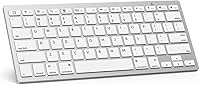
How to Make a Wired Keyboard Bluetooth
A wired keyboard can connect over Bluetooth only through a powered adapter that supports USB keyboards and Bluetooth input. Check that the adapter works with your keyboard and device before buying, because many USB-to-Bluetooth adapters handle other devices or add Bluetooth to a computer instead.
On this page (7 sections)
- Can a wired keyboard connect to Bluetooth?
- What does a wired keyboard to Bluetooth adapter need to support?
- How do you connect a wired keyboard through a Bluetooth bridge?
- Would a USB hub solve the connection problem?
- Is a wired keyboard worth adapting?
- What should you check before buying an adapter?
- Which option makes sense for your setup?
A wired keyboard becomes a Bluetooth keyboard only when a powered bridge supports USB keyboards and Bluetooth input. A regular Bluetooth dongle for a computer won't do that job, so confirm the adapter's purpose and compatibility before you buy.
The key distinction is which side the adapter serves. Some adapters let a computer connect to Bluetooth devices; a keyboard bridge must instead read the keyboard's USB input and send it wirelessly to your computer, tablet, or other host.
Can a wired keyboard connect to Bluetooth?
Yes, if a powered adapter is designed to bridge a USB keyboard to Bluetooth. The keyboard plugs into the adapter, which needs its own power and must pair with the receiving device.
A typical Bluetooth USB dongle plugs into a computer to give that computer Bluetooth. It doesn't take keyboard input from a USB port and transmit it to another device.
Check the adapter's documentation for explicit support for USB keyboards, Bluetooth pairing, and the operating systems you use. If it only mentions adding Bluetooth to a PC, it probably isn't the bridge you need.
What does a wired keyboard to Bluetooth adapter need to support?
A suitable adapter needs USB host support for a keyboard, a Bluetooth connection that the target device can pair with, and enough power to operate. A connector that physically fits doesn't prove that these functions are supported.
Does the adapter support USB keyboards?
Look for clear wording that it accepts USB keyboard input and sends keystrokes over Bluetooth. Support for USB storage, mice, or adding Bluetooth to a computer doesn't guarantee keyboard bridging.
Check for keyboard-specific limits, too. An adapter may support only certain keyboard layouts, key functions, or operating systems, so confirm those details if you rely on function keys, media keys, or special controls.
Can the adapter receive enough power?
A keyboard bridge needs power while it reads keystrokes and maintains a Bluetooth connection. Find out whether it uses a separate power supply, a battery, or another power source, and follow the adapter's instructions.
A passive plug or cable cannot supply the extra electronics a bridge needs. If the adapter requires a host USB port for power, check that your setup provides the right connection.
Will it pair with your device?
Confirm the bridge's Bluetooth mode and pairing steps match the computer, tablet, or other device you plan to use. A working Bluetooth connection between a computer and headphones does not confirm keyboard-bridge compatibility.
For help choosing a keyboard that connects directly to a computer, see our computer keyboards buying guide. If you're weighing the cables and batteries involved, compare a wired keyboard vs wireless keyboard.
How do you connect a wired keyboard through a Bluetooth bridge?
Connect the keyboard to the bridge, power the bridge, and pair it with the receiving device by following the bridge's instructions. The steps vary by adapter, so use its stated pairing mode and compatibility list.
- Confirm the keyboard uses the connection supported by the bridge.
- Plug the keyboard into the bridge's USB host port.
- Connect the bridge to its required power source.
- Put the bridge in Bluetooth pairing mode.
- Select it from the receiving device's Bluetooth settings.
- Test ordinary typing and any important keys.
If pairing fails, check the power, pairing mode, and adapter's supported devices before changing settings on the keyboard. Some keyboards use special functions that a basic bridge may not pass through.
Would a USB hub solve the connection problem?
No, a USB hub expands the number of USB ports; it doesn't convert a keyboard's wired signal to Bluetooth. A hub is useful if your computer has too few ports, but it still needs a computer or compatible host to connect to.
For example, the SABRENT 4-Port USB 3.0 Hub adds 4 USB ports and has individual on/off switches. It can help connect USB devices to a compatible host, but it isn't a Bluetooth keyboard bridge.
See our USB hubs and adapters guide if you need to expand wired connections. If Bluetooth is the goal, check the adapter's keyboard-bridge function separately.
Is a wired keyboard worth adapting?
An adapter may make sense if you want to keep a particular keyboard and can verify the bridge supports it. For a basic keyboard, buying a Bluetooth model is often simpler because it avoids an extra powered device and compatibility checks.
Compare wireless keyboards for PC if you decide to replace it.
A direct wired connection remains a straightforward option when your computer is nearby. The Logitech K120 is a full-size USB keyboard with F-keys and a number pad, and it connects by plugging into a USB port.
Compare wired keyboards for PC if you want other layouts.
The Logitech MK120 combines a full-size wired keyboard and a USB mouse. It also connects through USB, so it's an option when you want both input devices wired.
For more wired options, see best Logitech wired keyboards. To compare the connection tradeoffs, read Bluetooth vs USB keyboards.
What should you check before buying an adapter?
Verify the adapter's job, keyboard support, power source, and pairing compatibility before ordering. If any of those details are unclear, contact the adapter maker or choose a keyboard designed for the connection you need.
Use this quick checklist:
- It explicitly accepts USB keyboard input.
- It transmits keyboard input over Bluetooth.
- Its power method fits your setup.
- It pairs with your target computer or tablet.
- It supports any special keys you need.
- Its instructions explain pairing and troubleshooting.
A USB hub can help with port count, but it won't replace a bridge. If you prefer a keyboard that pairs directly, browse Bluetooth keyboards for Mac or Bluetooth keyboards with touchpads.
Which option makes sense for your setup?
For a wired keyboard to Bluetooth adapter, choose a bridge only when it clearly supports USB keyboards, has a practical power source, and pairs with your device. For the broader question, see wired keyboard to wireless.
Choose a direct Bluetooth keyboard if you want fewer compatibility steps.
Keep a wired keyboard when a USB connection suits your desk or you want to preserve a specific layout. Add a USB hub only when you need more wired ports, and consider a backlit wired keyboard if lighting is part of your keyboard choice.
Frequently asked questions
Can I turn a wired keyboard into a Bluetooth keyboard?
Sometimes, with a powered adapter made to accept a USB keyboard and send keystrokes over Bluetooth. The adapter must support the keyboard and the device you want to pair it with.
A standard USB Bluetooth dongle usually adds Bluetooth to a computer; it does not make a USB keyboard wireless.
Will any USB to Bluetooth adapter work with a keyboard?
No. Many USB Bluetooth adapters are receivers for computers, not bridges that take input from a USB keyboard and transmit it over Bluetooth.
Check for explicit USB keyboard support, Bluetooth pairing details, power requirements, and compatibility with your operating system before buying.
Can a USB hub make a wired keyboard Bluetooth?
No. A USB hub adds ports to a compatible computer or device, but it does not create a Bluetooth connection.
Use a hub when you need more USB ports, and look for a powered USB-to-Bluetooth keyboard bridge if wireless keyboard use is the goal.
Is it easier to buy a Bluetooth keyboard?
Usually, yes. A Bluetooth keyboard is designed to pair directly with a compatible computer or tablet, so you avoid adapter compatibility and power questions.
Keep the wired keyboard if its layout matters to you and you find a bridge that clearly supports it.