How to Choose a Flatbed Scanner for Negatives and Slides
Choose a flatbed scanner with a transparency unit, a holder for your film format, and enough optical resolution for the output size you need. A standard document flatbed may scan prints but cannot properly capture film transparencies.
On this page (8 sections)
- What makes a flatbed scanner work with negatives and slides?
- Which film holder should you check?
- How much resolution do film scans need?
- What scanning software helps with negatives and slides?
- Which of these scanners fits a film-scanning setup?
- Do you need an ADF for film scanning?
- How should you compare scanners before buying?
- What should you choose for negatives and slides?
A flatbed scanner for negatives and slides needs a transparency unit and compatible film holders. Check that it supports your film size, then compare optical resolution and software tools for dust, color, and inversion before you buy.
A regular flatbed scanner shines light through paper from below. Film needs light to pass through the original, so the scanner must also illuminate transparencies from above or through a built-in lid unit.
If you are comparing home scanning gear more broadly, start with our home printer buying guide. For print scanning, see our guide to the best flatbed scanner for photos and documents.
What makes a flatbed scanner work with negatives and slides?
A flatbed scanner can digitize film only if it has a transparency unit, also called a film adapter or transparency adapter. This light source shines through the film, while the scanner sensor captures the image from below.
The unit may be built into the lid or supplied as an accessory. Check that the specific scanner includes the unit or supports one made for it; a reflective scan bed alone is not enough for negatives and slides.
A scanner designed for ordinary paper may still scan prints, documents, or mounted photos. Learn what a flatbed scanner on a printer is if you are deciding between an all-in-one printer and a dedicated scanner.
Which film holder should you check?
Choose a film holder that fits your film type and keeps it flat in the scanner's transparency area. Holders often have specific openings for formats such as 35 mm strips, mounted slides, or larger film.
Check the holder's supported format and capacity before buying. A holder for mounted slides may not accept strips, and a 35 mm holder will not fit medium-format film unless the scanner offers a matching accessory.
The holder should align the film with the scanning area and reduce curl or movement. Dust on film or glass can show clearly in a scan, so a design that lets you place and remove each frame carefully can make handling easier.
Some scanners have a limited transparency area, even when the glass bed is large. Compare the film area with the film formats you plan to scan instead of relying on the scanner's overall bed size; our best large flatbed scanners guide covers larger scanning beds.
How much resolution do film scans need?
For film, compare optical resolution, not an interpolated number created through software. Optical resolution describes the detail captured by the scanner sensor, while interpolation enlarges the image after capture.
A higher optical resolution can preserve more fine detail and gives you more flexibility to crop or print larger. Your target output matters: a small image for a screen needs less detail than an archival scan or a large print.
Resolution alone does not guarantee a good film scan. Focus, film flatness, sensor quality, transparency lighting, dust, and software all affect the final image, so treat a high dpi figure as one part of the decision.
Check whether the scanner's quoted resolution applies to film scanning, and whether it is optical or interpolated. Some scanners advertise high numbers for reflective prints without supporting transparency scanning at all.
What scanning software helps with negatives and slides?
Film scanning software should make it possible to invert color negatives and adjust the image after capture. Look for negative conversion, color controls, dust removal, cropping, and output choices that match how you plan to use the files.
Color negatives have an orange mask that requires conversion to produce natural-looking positive images. Slide film is already a positive image, but it may still need color and exposure adjustments.
Software can reduce some dust and scratch marks, but it cannot restore missing image detail. Keep film clean and handle it by the edges before scanning, following the film and scanner makers' care guidance.
Which of these scanners fits a film-scanning setup?
The three scanners below illustrate why the right tool depends on the original. Only choose one for negatives or slides if its transparency support and film holder match your format.
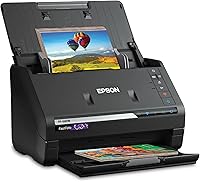
The Epson FastFoto FF-680W is a photo and document scanner with a carrier sheet and microfiber cleaning cloth. Its described photo workflow covers prints up to 8 x 10 inches, postcards, panoramas, and Polaroid photos, with options for sharing, archiving, and enlargements.
That makes it relevant if your collection includes printed photos alongside film. The available details do not guarantee support for negatives or slides, so check for a compatible transparency unit and holder before choosing it for film.
Canon's CanoScan LiDE 400 is a slim flatbed scanner for documents and photos. Canon lists 4800 x 4800 dpi resolution, image enhancements that include color restore and dust removal, and USB Type-C connectivity.
Those features can suit paper photos and documents, but they do not by themselves confirm that the scanner can capture film. Check the exact transparency-unit and film-holder compatibility for your negatives or mounted slides.
Epson's WorkForce ES-50 is a compact, single-sheet-fed document scanner. It can scan documents up to 8.5 x 72 inches, receipts, and ID cards, but its feed-through design is not a flatbed film setup.
Choose a scanner built for transparencies instead if film is your main source. The ES-50 may help with paper records in the same digitizing project, but it does not replace a film-capable flatbed.
Do you need an ADF for film scanning?
An automatic document feeder is useful for stacks of loose paper, not for negatives or mounted slides. Film must sit in the correct holder over the transparency scanning area, so an ADF does not replace a film adapter.
If your work includes both documents and film, decide which task matters most. A dedicated transparency flatbed can handle film, while a separate feeder scanner may help process paperwork; compare options in our best flatbed scanners with ADF guide.
For desk-based paperwork, see our desktop document scanner reviews.
How should you compare scanners before buying?
Compare the scanner's film support, optical resolution, holder sizes, and software as one package. A scanner that lacks a compatible transparency unit is not made suitable for film by a large glass bed or a high advertised dpi number.
Use this checklist:
- Confirm that a transparency unit is included or supported.
- Match the holder to your film format, including strips or mounted slides.
- Check the transparency scanning area and how many frames fit at once.
- Compare optical resolution at the sensor level.
- Look for color-negative conversion and practical image adjustment tools.
- Check how the scanner connects to your computer and which operating systems it supports.
- Consider how you will clean, store, and name the resulting files.
For mixed home office needs, our guide to are color laser printers good for photos explains why printer type matters when you want to print images. If you also digitize paper receipts, see our receipt scanner and printer guide, or compare a wireless printer for home use for the printing side.
What should you choose for negatives and slides?
Pick a film-capable flatbed with a transparency unit and a matching holder if your originals are negatives or slides. Then choose optical resolution and software based on whether you need quick screen copies, careful archives, or larger prints.
A document or photo flatbed can be useful for paper prints, but film requires transmission lighting and format-specific holders. Check those details first, then compare the scan area and workflow with the size of your collection.