Rechargeable Mouse vs Battery Mouse: Which Is Better? (November 2026)
Choose a rechargeable mouse if you prefer charging it by cable, or a mouse with replaceable batteries if you want to swap cells and keep working. Your desk routine and tolerance for charging pauses matter more than the power source alone.
On this page (9 sections)
- Rechargeable Mouse vs Mice with Replaceable Batteries
- Rechargeable mouse vs battery mouse: which is easier day to day?
- Which mouse is better if you travel?
- Which power type is easier to maintain?
- Which option fits a shared computer or home office?
- Which models show the difference clearly?
- How should you choose between rechargeable and replaceable batteries?
- FAQ
- Choose by the interruption you prefer
Rechargeable Mouse vs Mice with Replaceable Batteries
A rechargeable mouse needs periodic charging, while a mouse with replaceable batteries needs a fresh cell when its battery runs down. Choose based on which interruption is easier for you to plan around.
Rechargeable designs trade battery swaps for cable charging. Replaceable-battery models let you keep spare cells nearby, and some can run for months before needing a change.
This comparison covers charging routines, battery replacement, travel and everyday desk use. If you are also choosing the other half of a desk setup, our best keyboard for computer guide covers keyboard styles and features.
Rechargeable mouse vs battery mouse: which is easier day to day?
A replaceable-battery mouse is simpler when you keep spare cells; a rechargeable mouse is simpler when you already charge devices at your desk. Neither option removes the need to monitor battery life.
With a rechargeable mouse, plug in the included cable when the battery is low or charge it between work sessions. You need a suitable cable and a nearby port or power source, and charging time varies by model.
With replaceable batteries, open the compartment and swap in the right cell. Keep a spare in a desk drawer or laptop bag so you can make the change as soon as the cursor starts to falter.
What does a rechargeable mouse battery routine look like?
A rechargeable mouse battery routine means charging before the mouse runs out, instead of carrying replacement cells. TECKNET says its mouse takes 1.5 to 2 hours to fully charge and provides up to 3 months of use at 2 hours daily.
That estimate gives you a rough planning point, not a schedule that fits every person. Frequent use, charging habits and the low-battery behavior can affect when you need to plug it in.
The TECKNET mouse is rechargeable and includes a USB A to C charging cable. It can connect through Bluetooth or USB A, so the charging choice is separate from how you connect it to a computer.
How often do replaceable batteries need changing?
Battery changes depend on the mouse, battery type and use. Logitech gives the M185 an estimate of up to 1 year from its included AA battery, while its G305 is rated for up to 250 hours of continuous gameplay on one AA battery.
Those figures describe different use patterns, so they aren't a direct head-to-head comparison. The G305 also has an Endurance mode that Logitech says can extend battery life up to 9 months when used with Logitech G HUB software.
For a simpler office mouse, the Amazon Basics model uses 2 AAA batteries, which are included. It has a USB nano receiver that can store inside the mouse when not in use.
Which mouse is better if you travel?
A rechargeable mouse suits travel if you can charge it along with your other devices; a battery mouse suits travel if you can pack spare cells. Consider access to outlets, your trip length and how much gear you already carry.
A rechargeable mouse may mean one less battery type in your bag, but you still need its cable and a time to charge. If a low battery would interrupt a trip, charge it before leaving and check its charge level before a long work session.
A replaceable-battery mouse can stay ready when you pack the right spare cells. Keep them protected and follow airline and local rules for carrying or disposing of batteries.
For a travel-friendly mouse with a replaceable battery, the G305 has built-in nano receiver storage and weighs 3.4 oz according to Logitech's listed features. If rechargeable power is your priority, browse our picks for the best rechargeable mouse wireless models.
Which power type is easier to maintain?
Replaceable batteries are easier to maintain when you can store spares; rechargeable mice are easier when you can build charging into an existing routine. Both choices benefit from checking power before an important task.
Use a simple reminder, such as checking the mouse before a work trip or charging it at the end of a long day. For battery models, keep one suitable replacement where you use the mouse rather than waiting until the old cell is depleted.
The Amazon Basics mouse uses AAA cells, while the G305 and M185 use AA cells. If you are unsure which size a wireless mouse uses, our wireless mouse battery guide explains common battery types.
If you want a rechargeable model for a laptop setup, see our guide to the best rechargeable mouse for laptop. For a Bluetooth connection, our best rechargeable Bluetooth mouse guide focuses on that connection type.
Can a mouse pad charge a rechargeable mouse?
Only choose a charging mouse pad when both the pad and mouse support a compatible charging system. A regular mouse pad won't charge a mouse just because the mouse has a rechargeable battery.
Check the charging method in the mouse instructions and match it to the pad before buying. Many rechargeable mice charge by cable, and the TECKNET model here includes a USB A to C cable.
Our guide explains whether a mouse pad can charge a wireless mouse. It can help you distinguish a charging surface from a standard pad.
Which option fits a shared computer or home office?
A replaceable-battery mouse can be convenient for a shared computer because anyone can swap a cell; a rechargeable model works well when one person manages its charging. Think about who notices low power and who will handle upkeep.
A mouse used by several people can run down without warning if no one checks it. Keep spare cells near the computer or set a charging routine that everyone can follow.
For a home office, choose the option that won't interrupt your typical workday. If you have a cable at the desk and remember to charge devices, rechargeable power may feel routine; if you prefer a quick swap, choose replaceable batteries.
A keyboard and mouse often share the same desk habits. Our computer keyboard buying guide can help you consider the full setup.
Which models show the difference clearly?
The TECKNET illustrates cable charging, while the Logitech M185, G305 and Amazon Basics mouse use replaceable cells. These examples show how the power source changes the routine, not a universal ranking of all mice.
The TECKNET is the rechargeable option here. Its maker gives a 1.5 to 2 hour full-charge time and up to 3 months of use at 2 hours daily.
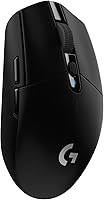
The Logitech G305 is aimed at wireless gaming, with a 1 ms report rate and a claimed 250 hours of continuous gameplay on one AA battery. Its Endurance mode requires Logitech G HUB software.
The Amazon Basics mouse is a 3-button 2.4 GHz model with a USB nano receiver. Its connection is not Bluetooth.
How should you choose between rechargeable and replaceable batteries?
Pick rechargeable if you can charge on schedule; pick replaceable batteries if you want to swap cells and resume quickly. If neither routine sounds appealing, compare the battery estimates and low-power signals of specific models before choosing.
A rechargeable mouse can suit a desk where cables are already within reach. A replaceable-battery mouse can suit travel or shared setups where keeping spare cells is easier than tracking a charging cycle.
For either type, confirm the connection style you need, such as Bluetooth or a USB receiver. Choose by power routine first, then compare shape, buttons and connectivity for your computer.
FAQ
Is a rechargeable mouse better than a battery mouse?
A rechargeable mouse is better if you want to top it up with a cable and avoid buying separate cells. A mouse with replaceable batteries is better if you want to swap in a fresh battery and continue without waiting for a charge.
The better fit depends on your routine and access to charging.
How often does a rechargeable mouse need charging?
Charging frequency varies by model and use. TECKNET describes its rechargeable mouse as lasting up to 3 months with 2 hours of daily use, and says a full charge takes 1.5 to 2 hours.
Treat that as a maker estimate, since your use may differ.
Can you use a rechargeable mouse while it charges?
Check the exact mouse instructions before relying on use while charging, since charging behavior differs by model. Keep a spare mouse or another pointing option available if a low battery would interrupt work, and charge the mouse during a break when practical.
Are replaceable battery mice easier to keep ready?
They can be easier to keep ready if you have spare compatible batteries nearby. Swap the depleted cell for a fresh one instead of waiting for a charge, then recycle or dispose of the old battery according to local guidance.
Does a rechargeable mouse need a special mouse pad?
Usually, a rechargeable mouse can be charged with its cable, but charging methods vary by model.
Don't assume a mouse pad can power it; check the mouse and pad specifications first. See our guide to a rechargeable mouse pad for how those pads work.
Choose by the interruption you prefer
Choose rechargeable power if plugging in fits your routine; choose replaceable batteries if keeping spares nearby feels easier. For laptop use, compare the best rechargeable mouse for laptop options and pick a model whose connection and charging needs fit your setup.
Frequently asked questions
Is a rechargeable mouse better than a battery mouse?
A rechargeable mouse is better if you want to top it up with a cable and avoid buying separate cells. A mouse with replaceable batteries is better if you want to swap in a fresh battery and continue without waiting for a charge.
The better fit depends on your routine and access to charging.
How often does a rechargeable mouse need charging?
Charging frequency varies by model and use. TECKNET describes its rechargeable mouse as lasting up to 3 months with 2 hours of daily use, and says a full charge takes 1.5 to 2 hours.
Treat that as a maker estimate, since your use may differ.
Can you use a rechargeable mouse while it charges?
Check the exact mouse instructions before relying on use while charging, since charging behavior differs by model. Keep a spare mouse or another pointing option available if a low battery would interrupt work, and charge the mouse during a break when practical.
Are replaceable battery mice easier to keep ready?
They can be easier to keep ready if you have spare compatible batteries nearby. Swap the depleted cell for a fresh one instead of waiting for a charge, then recycle or dispose of the old battery according to local guidance.
Does a rechargeable mouse need a special mouse pad?
Usually, a rechargeable mouse can be charged with its cable, but charging methods vary by model. Don't assume a mouse pad can power it; check the mouse and pad specifications first.
See our guide to a rechargeable mouse pad for how those pads work.