Can a Mouse Pad Charge a Wireless Mouse?
A mouse pad can charge a wireless mouse only when both support the same charging system. Most mouse pads don't charge mice, and a wireless mouse won't charge just because it rests on a pad.
On this page (8 sections)
- Can a mouse pad charge a wireless mouse?
- How does a charging mouse pad work?
- What compatibility should you check?
- Can any rechargeable mouse use a wireless mouse pad?
- How can you tell if a mouse pad is a charging pad?
- What should you do if the mouse won't charge?
- Is a rechargeable mouse pad worth choosing?
- Which charging setup should you choose?
A mouse pad can charge a wireless mouse only when both support the same charging system. Most mouse pads don't charge mice, and a wireless mouse won't charge just because it rests on a pad.
A rechargeable mouse pad is a powered accessory with a charging feature, not a standard surface with a hidden universal function. The mouse also needs compatible charging hardware, so check both devices before you buy.
Can a mouse pad charge a wireless mouse?
Yes, but only if the pad and mouse are designed to work together. The pad needs power, and the mouse needs a receiver or other charging hardware that supports that pad's system.
Wireless describes how a mouse sends cursor movement to a computer. It doesn't say how the mouse gets power.
A wireless mouse may use a replaceable battery, a rechargeable battery with a cable, or a system designed for a charging pad.
A regular fabric, plastic, or hard mouse pad won't charge any mouse. Even a pad with a charging feature won't work with a mouse that lacks compatible charging support.
For more on power choices, see our guide to rechargeable mouse vs battery mouse.
How does a charging mouse pad work?
A charging mouse pad supplies power through a system built into the pad and compatible mouse. The mouse must have the matching hardware to receive that power while you use it or leave it in the intended charging area.
Some systems use a dedicated receiver or a matched mouse-and-pad setup. Others may support a particular wireless charging standard.
The names and requirements vary, so confirm the exact system in both products' specifications and instructions.
A powered pad might connect to a computer or wall adapter. Check what power source it needs, whether the mouse must stay in a marked area, and whether charging works during movement or only when parked.
Don't assume that a USB port on a pad charges a mouse wirelessly. It may only power the pad or charge another device through a cable.
What compatibility should you check?
Match the mouse's charging method to the pad's named system. Check the mouse and pad documentation for compatible models, required receiver hardware, placement rules, and power needs.
Before buying, confirm these details:
- The mouse explicitly supports charging from that pad or system.
- The pad names the mouse model or compatible charging standard.
- Any required receiver, module, or accessory is included or sold separately.
- The mouse can charge in the position and area where you'll use it.
- The pad's power connection suits your desk setup.
Bluetooth or 2.4 GHz compatibility isn't enough. Those terms describe the mouse's connection to a computer, not its charging method.
If you want to compare rechargeable options, browse best rechargeable mouse wireless. For a Bluetooth-focused choice, see best rechargeable bluetooth mouse.
Do wireless and rechargeable mean the same thing?
No. Wireless means the mouse connects without a cable, while rechargeable means its battery can be replenished.
A mouse can be wireless but use a replaceable AA battery, or it can be rechargeable but need a cable.
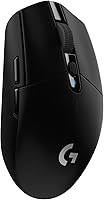
The Logitech G305 Lightspeed Wireless Gaming Mouse uses one AA battery and offers up to 250 hours of continuous gameplay, according to Logitech's product information. It's an example of a wireless mouse that doesn't recharge by resting on a pad.
The TECKNET Wireless Mouse is rechargeable, but it comes with a USB charging cable. Its product information describes cable charging, not mouse pad charging.
The Logitech M185 uses an included AA battery and is described with up to 1 year of battery life. It doesn't need a charging pad to keep working.
Can any rechargeable mouse use a wireless mouse pad?
No. Rechargeable mice don't all share one charging method.
Some use a cable, some use a dock, and some support a particular charging pad system.
Check the charging port and instructions for the mouse you own. If its documentation only describes cable charging, don't expect a powered pad to charge it without an explicitly supported accessory.
A pad's charging feature also doesn't make it a universal wireless mouse pad. Compatibility belongs to the charging system, not the shape or material of the mouse surface.
If your priority is portability, compare best rechargeable mouse for laptop options and check whether each mouse charges by cable or supports a pad.
How can you tell if a mouse pad is a charging pad?
Look for an explicit charging feature and compatible mouse information. A product described simply as a gaming or extended mouse pad may improve tracking or provide desk coverage without charging anything.
Check the pad's power requirements, supported mouse models, and any required receiver. Also check whether the charging area takes up the full surface or just a marked zone.
If you need a larger or smoother surface for movement, our best gaming mouse pad guide can help you compare pads for that purpose. A gaming surface and a charging pad solve different needs, though one product might offer both.
What should you do if the mouse won't charge?
Confirm the power connection, mouse placement, and system compatibility first. Use the pad's instructions to check whether the mouse needs a particular receiver, charging position, or setting.
Then try these checks:
- Confirm the pad's power cable and adapter are connected as directed.
- Place the mouse in the charging area and align it as the instructions show.
- Check that the mouse model supports the pad's charging system.
- Inspect any required receiver or charging module.
- Try the mouse's supported cable or dock method if available.
If the mouse charges by cable but not on the pad, the pad may not support that mouse or the setup may be misaligned. If it doesn't charge by either method, check the mouse's instructions or contact the manufacturer.
Is a rechargeable mouse pad worth choosing?
Choose a charging pad when you have a compatible mouse and want its charging area built into your desk surface. If your mouse charges by cable or uses replaceable batteries, a standard pad may suit you better.
Before buying, compare the cost and desk space with a cable or dock. A charging pad adds another powered device and may require a specific mouse or accessory to work.
For keyboard and desk setup choices, our computer keyboards: the complete buying guide covers the other main input device to consider alongside your mouse.
Which charging setup should you choose?
Pick a charging pad if the mouse explicitly supports that exact system and you want charging integrated into your mouse surface. Pick a cable-rechargeable mouse if you want a rechargeable battery without buying a specialized pad.
Choose a replaceable-battery mouse if you prefer swapping batteries over plugging in. The key check is simple: wireless describes the connection, while charging compatibility depends on the mouse and its power system.
Frequently asked questions
Can a mouse pad charge a wireless mouse?
Only a charging mouse pad and a compatible mouse can charge each other. The pad needs a power source, and the mouse must support the pad's charging system.
A regular mouse pad has no charging function, and a wireless connection alone doesn't make a mouse compatible.
Can a rechargeable mouse charge on any mouse pad?
No. A rechargeable mouse usually needs its own cable or a charging dock, unless it specifically supports a compatible charging pad.
Check how the mouse charges and whether it names support for the exact pad system before you rely on wireless charging.
Does a wireless charging mouse pad need to be plugged in?
Yes, a charging pad needs power to send energy to a compatible mouse. Follow the pad's instructions for its power connection and mouse placement.
A standard mouse pad doesn't need power because it only provides a surface for mouse movement.
Can a wireless mouse charge through its USB receiver?
No. A USB receiver handles the mouse's wireless connection to a computer; it doesn't charge the mouse.
Recharge through the method the mouse supports, such as a charging cable or a compatible charging pad.