What Batteries Do Wireless Mice Use?
Most wireless mice use one AA or AAA battery, while rechargeable models use a built-in rechargeable battery. Check the mouse compartment, manual, or exact model before buying replacements.
On this page (8 sections)
- What battery sizes do wireless mice use?
- How can you tell if a mouse uses a replaceable battery?
- Which products show the main wireless mouse battery types?
- Are rechargeable AA and AAA batteries safe in a wireless mouse?
- How do you replace a wireless mouse battery?
- Does an all-in-one computer change the mouse battery?
- Which wireless mouse battery should you choose?
- The Logitech M185 suits everyday work when a compact ambidextrous shape and included AA battery fit your setup. Before ordering any wireless mouse battery, confirm the exact model, cell size, polarity, and connection method.
Most wireless mice use one AA or AAA battery, while rechargeable models use a built-in rechargeable battery. The correct wireless mouse battery depends on the mouse design, so check the compartment, manual, or model number before buying replacements.
A wireless mouse may connect through a USB receiver, Bluetooth, or both. The connection method doesn't tell you which battery it uses.
A 2.4 GHz mouse can use a replaceable AA cell, while another wireless mouse with battery charging may use an internal rechargeable pack.
What battery sizes do wireless mice use?
AA and AAA are the most common replaceable battery sizes in wireless mice. AA cells are larger and can offer more capacity, while AAA cells are smaller and may suit compact mouse designs.
Look inside the battery compartment for the size marking and polarity symbols. The positive and negative ends must face the directions shown in the compartment.
Don't choose a battery based only on the mouse's shape. A compact mouse can still use an AA battery, and a larger mouse may use AAA cells or a built-in rechargeable battery.
A mouse that takes a replaceable battery usually has a removable cover or a compartment underneath. Some models also store a USB receiver inside the battery area when the receiver is not being used.
How can you tell if a mouse uses a replaceable battery?
A removable battery mouse has a compartment with a cell size marking, while a rechargeable mouse usually has a charging port. Look for an AA or AAA label, a battery door, or a USB charging connector.
The model number is the safest way to confirm compatibility. Search for the manufacturer's instructions using the model number, then check the power section for the battery size or charging method.
This matters because a mouse can look similar to another model while using a different power system. Don't force a battery into a compartment or use a charging cable with a mouse that has no charging port.
Does a wireless mouse with battery power need a USB receiver?
A battery-powered mouse may still need a USB receiver to connect to your computer. Battery power and wireless connection are separate parts of the design.
A mouse can use one AA cell and connect through a small USB receiver. Another can use a built-in rechargeable battery and connect through Bluetooth.
Some models support both Bluetooth and USB connections.
If your mouse uses a receiver, keep it in the computer or store it in the mouse's receiver slot when traveling. For a broader look at desk input devices, compare our guide to the best keyboard for computer.
Which products show the main wireless mouse battery types?
These three products show different choices: a gaming mouse with one AA battery, a rechargeable mouse, and a simple office mouse with an included AA battery.
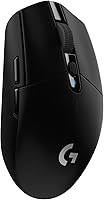
Logitech G305 Lightspeed Wireless Gaming Mouse
The Logitech G305 Lightspeed Wireless Gaming Mouse uses 1 AA battery and has a stated battery average life of 250 hours. Its title identifies the black model, and its data lists a 4.59 in length, 2.45 in width, 3.36 oz weight, 6 buttons, and compatibility with laptops and personal computers.
The G305 uses Logitech G LIGHTSPEED wireless technology with a 1 ms report rate, plus a HERO optical sensor with up to 12,000 DPI sensitivity. Its data also lists a built-in nano receiver storage area and a USB connection.
Choose it when replaceable AA power and gaming-focused controls matter. If you want to avoid regular battery changes, compare rechargeable mice vs mice with replaceable batteries.
TECKNET Wireless Mouse
The TECKNET Wireless Mouse is a rechargeable mouse with Bluetooth 3.0 or 5.0 and USB A connectivity. It takes 1.5 to 2 hours to fully charge and has a stated battery average life of 3 months with 2 hours of daily use.
The grey mouse supports two connected devices and has 6 adjustable DPI levels from 800 to 4,800. It weighs 0.15 kg, has a right-hand design, and suits small to medium-sized hands.
A USB A to C charging cable is included.
Its stated operating systems include Windows 10, macOS 10.12 Sierra, Chrome OS, and Linux. The data also notes that its side buttons aren't compatible with macOS.
For portable use, see our guide to the best rechargeable mouse for laptop.
Logitech M185 Compact Ambidextrous 2.4 GHz Wireless
The Logitech M185 Compact Ambidextrous 2.4 GHz Wireless uses 1 included AA battery and has a stated battery average life of 12 months. Its Swift Grey model weighs 4.8 oz and has a compact 1.54 in length and 3.89 in width.
The M185 connects through a nano USB receiver and has a stated range of up to 10 m. It is designed for either hand and has 1 button quantity listed in its data.
Compatibility includes Mac and PC platforms.
Choose it when a replaceable AA cell, compact shape, and basic wireless connection fit your desk. For office-focused alternatives, see the best wireless mouse for office.
Are rechargeable AA and AAA batteries safe in a wireless mouse?
Use rechargeable AA or AAA cells only when the mouse accepts that battery size and the instructions allow them. The cell must fit correctly, and its voltage must be suitable for the mouse.
Rechargeable cells can reduce disposable battery waste, but they need a separate charger unless the mouse has its own charging port. Remove a leaking, swollen, or damaged cell immediately and avoid using a damaged mouse compartment.
A built-in rechargeable mouse is different from a mouse that accepts rechargeable AA or AAA cells. The first charges through its cable, while the second still uses removable batteries.
If you prefer a built-in charging system, browse the best rechargeable mouse wireless guide. Bluetooth-focused shoppers can also compare the best rechargeable bluetooth mouse.
How do you replace a wireless mouse battery?
Turn the mouse off, open the battery cover, remove the old cell, and match the new cell to the polarity markings. Close the cover fully before turning the mouse back on.
Move the mouse switch to the off position if it has one. Take note of the old battery's direction before removing it, then place the replacement with the positive and negative ends aligned to the symbols.
If the mouse still doesn't work, check that the cover is closed, the battery has charge, and the USB receiver is connected. Bluetooth mice may also need to be selected again in the computer's Bluetooth settings.
Don't mix old and new cells or different battery types in the same compartment. Follow the battery maker's recycling guidance when disposing of used cells.
Does an all-in-one computer change the mouse battery?
No. An all-in-one computer doesn't determine the mouse battery size.
The battery choice belongs to the mouse, not the computer display or built-in computer hardware.
You can use a compatible wireless mouse with an all-in-one, laptop, or desktop computer when the connection method and operating system support it. Our guide to Do All-in-one Computers Have Built-in Batteries? explains why the computer's power design is a separate question.
For an HP laptop, check the mouse's connection type and operating system support before ordering. The best wireless mouse for HP laptop guide covers that choice.
Which wireless mouse battery should you choose?
Pick an AA or AAA mouse if you want quick replacement and no charging cable. Pick a rechargeable mouse if you prefer charging from a cable and want to avoid buying disposable cells.
The Logitech G305 suits readers who want one AA battery with gaming controls and a stated 250-hour battery average life. The TECKNET suits readers who want built-in charging, Bluetooth or USB A connection, and two-device use.
The Logitech M185 suits everyday work when a compact ambidextrous shape and included AA battery fit your setup. Before ordering any wireless mouse battery, confirm the exact model, cell size, polarity, and connection method.
Frequently asked questions
What battery does a wireless mouse use?
Most wireless mice use one AA or AAA battery, but some use a built-in rechargeable battery. Check the compartment marking, user guide, or exact model number before buying a replacement.
Battery size, charging method, and expected run time vary by mouse.
Can I use rechargeable batteries in a wireless mouse?
You can use rechargeable AA or AAA batteries when the mouse accepts that size and voltage, but check the mouse instructions first. Rechargeable cells may have different voltage and capacity than disposable cells.
Never put a rechargeable battery into a mouse designed for a built-in battery.
How long does a wireless mouse battery last?
Battery life ranges from weeks or months to about a year, depending on the mouse, battery, wireless mode, sleep settings, and daily use. Gaming mice may use power faster than simple office mice.
Turn the mouse off when possible and replace or recharge it when tracking becomes unreliable.
How do I know which battery fits my wireless mouse?
Open the battery compartment and look for an AA or AAA marking, plus the positive and negative symbols. If the mouse has no removable compartment, it may be rechargeable.
Match the exact model number with its instructions before ordering batteries.