8 Best Wireless Printers for Home Offices (November 2026)
The best wireless printers for home offices include the Canon MegaTank G3270 All-in-One Wireless Color Printer for low-ink home offices, the Brother DCP-L2640DW Wireless Compact Monochrome Multi-Function Printer for fast black-and-white documents, and the Canon PIXMA TR7120 Wireless Color Inkjet Printer for mixed home-office tasks.
On this page (5 sections)
The best wireless printer for most home offices is the Canon MegaTank G3270, thanks to its wireless print, copy and scan functions and high stated ink yield. It suits a home office that handles regular color work without wanting to change cartridges often.
The Brother DCP-L2640DW is better for fast black-and-white documents, while the HP OfficeJet Pro 8135 fits heavier color work with faxing and a 225-sheet tray. Those two picks make sense when speed, paper handling or extra functions matter more than ink yield.
A home-office printer should match your daily work, not just your preferred brand. Think about color needs, document volume, scanning, paper handling, mobile devices and whether you want cartridges, refillable tanks or toner.
Set-up also matters in a shared home space. A model you can print to from a phone, laptop and tablet will usually get more use than one tied to a single computer.
Care is simpler when you plan for supplies from the start. Ink tanks, cartridges and toner each change how often you reorder, how much paper you keep ready and how you store spare supplies.
Our home printer buying guide explains the main printer types and setup choices. If your needs are lighter, compare these picks with our guide to the best wireless printer for home use.
Use that comparison to narrow the field before you check size and paper capacity. The right choice should fit your desk, your document mix and the way your household or team actually prints.
Our picks at a glance
-
1
 Best for low-ink home offices
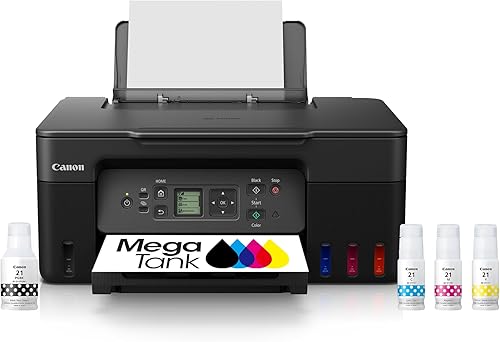
Canon MegaTank G3270 All-in-One Wireless Color Printer
9.7/10 our score
See it on Amazon -
2
 Best for fast black-and-white documents
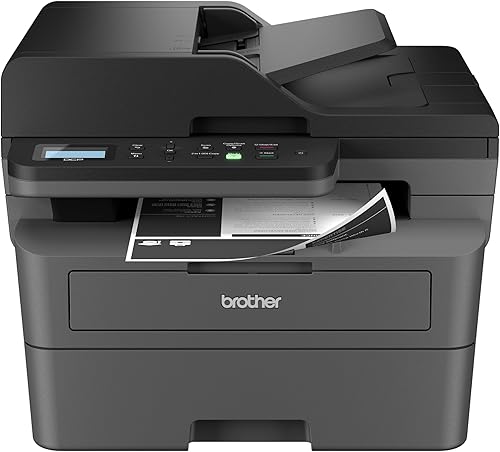
Brother DCP-L2640DW Wireless Compact Monochrome Multi-Function Printer
9.6/10 our score
See it on Amazon -
3
 Best for mixed home-office tasks
Canon PIXMA TR7120 Wireless Color Inkjet Printer
9.5/10 our score
See it on Amazon
- 4
 Check it
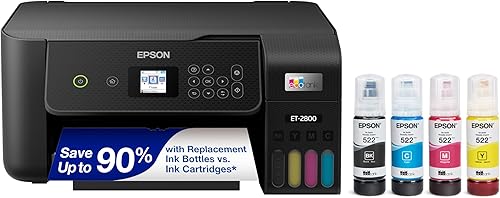
Epson EcoTank ET-2800 Wireless Color All-in-One Supertank
Best for refillable ink tanks - 5
 Check it
HP Envy 6155 Wireless All-in-One Color Inkjet
Best for everyday family printing - 6
 Check it
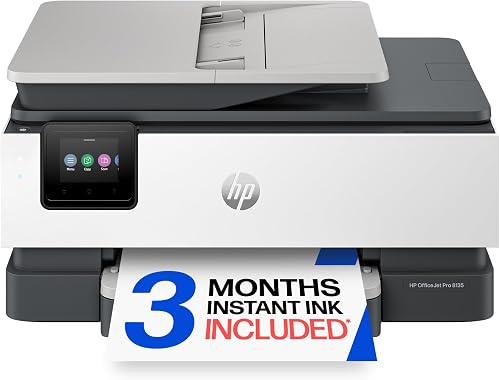
HP OfficeJet Pro 8135 Wireless All-in-One Color
Best for busy home-office workflows - 7
 Check it
HP Envy Photo 7975 Wireless Color Inkjet
Best for photos and home documents - 8
 Check it
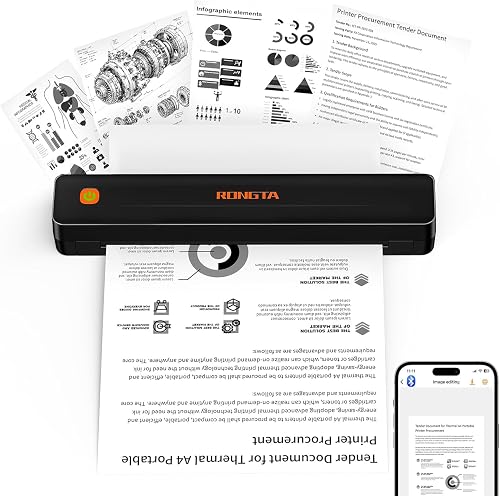
Rongta Thermal Portable Printers Wireless for Travel
Best for portable monochrome printing
Which wireless printer is best for a home office?
The Canon MegaTank G3270 is the best overall match because it combines color printing, copying and scanning with wireless access and a high stated page yield. The Brother DCP-L2640DW is a better match for fast monochrome documents, while the HP OfficeJet Pro 8135 adds faxing and a larger paper tray.
Our score weighs specifications, features and buyer feedback against the needs of a home-office printer. We checked print functions, paper handling, wireless access, ink or toner design and the type of work each model suits.
| Product | Best for | Functions | Print speed | Size | Our score |
|---|---|---|---|---|---|
| Canon MegaTank G3270 All-in-One Wireless Color Printer | low-ink home offices | Print, copy and scan | 11 black-and-white ppm, 6 color ppm | 21.9 x 16.4 x 10.6 in | 9.7 |
| Brother DCP-L2640DW Wireless Compact Monochrome Multi-Function Printer | fast black-and-white documents | Print, copy and scan | Up to 36 black-and-white ppm | 15.7 x 16.1 x 12.5 in | 9.6 |
| Canon PIXMA TR7120 Wireless Color Inkjet Printer | mixed home-office tasks | Print, scan and copy | 14 black-and-white ppm, 9 color ppm | 9.5 | |
| Epson EcoTank ET-2800 Wireless Color All-in-One Supertank | refillable ink tanks | Print, scan and copy | 10 black-and-white ppm, 5 color ppm | 14.8 x 22.8 x 10 in | 9.5 |
| HP Envy 6155 Wireless All-in-One Color Inkjet | everyday family printing | Print, scan and copy | 10 black-and-white ppm, 7 color ppm | 9.4 | |
| HP OfficeJet Pro 8135 Wireless All-in-One Color | busy home-office workflows | Print, scan, copy and fax | 20 black-and-white ppm, 10 color ppm | 9.3 | |
| HP Envy Photo 7975 Wireless Color Inkjet | photos and home documents | Print, scan and copy | 15 black-and-white ppm, 10 color ppm | 9.0 | |
| Rongta Thermal Portable Printers Wireless for Travel | portable monochrome printing | 2.28 x 10.55 x 1.18 in | 8.3 |
Canon MegaTank G3270 All-in-One Wireless Color Printer: Best for low-ink home offices
- Wireless print, copy and scan
- Up to 2 years of ink included
- Up to 6,000 black-and-white or 7,700 color pages per ink set
- 1.35-inch square LCD
The Canon MegaTank G3270 fits home offices that print often and want high ink capacity. It prints, copies and scans wirelessly, but it only supports single-sided printing.
Pros
- High stated page yield
- Wireless print, copy and scan
- Ink bottles included
Cons
- Single-sided printing
- Slower color speed than the laser pick
The Canon MegaTank G3270 is the strongest general pick for a home office that prints color documents regularly. It supports wireless printing, copying and scanning, and its app control works with smartphones and tablets.
Canon states that one set of inks can print up to 6,000 black-and-white pages or 7,700 color pages. Up to 2 years of ink is included, which makes this model worth considering when replacing cartridges often would be inconvenient.
The trade-off is speed and paper handling. It prints up to 11 black-and-white pages per minute and 6 color pages per minute, uses single-sided printing, and has a 1.35-inch square LCD.
Its 21.9 x 16.4 x 10.6 in footprint also needs a dedicated surface.
Choose it if your home office needs color, scanning and copying with a high stated ink yield. For automatic two-sided work, consider the Canon PIXMA TR7120 or one of the HP models instead.
Brother DCP-L2640DW Wireless Compact Monochrome Multi-Function Printer: Best for fast black-and-white documents
- Up to 36 pages per minute
- Automatic duplex printing
- 50-page auto document feeder
- Dual-band wireless, Ethernet and USB
Brother suits a home office focused on forms, reports and other black-and-white documents. Its automatic duplexing, 50-page feeder and 250-sheet paper tray support larger jobs.
Pros
- Fast black-and-white printing
- Automatic duplexing
- 50-page auto document feeder
Cons
- Monochrome output
- Heavier than the inkjet picks
The Brother DCP-L2640DW is the best choice for black-and-white paperwork. Its laser design prints up to 36 pages per minute, and automatic duplexing helps with longer documents.
A 50-page auto document feeder supports multi-page scanning and copying. The printer also has a 250-sheet paper tray, dual-band wireless, Ethernet and USB, so it can fit a home office that uses several connection methods.
This is a monochrome printer, so it is not the right match for color charts, photos or color presentations. Its 25 lb weight is also higher than the inkjet models here, which matters when you are placing it on a desk or shelf.
Choose Brother for reports, forms, invoices and other black-and-white jobs where speed matters. It is also a strong option when automatic duplexing and a document feeder are more useful than color output.
Canon PIXMA TR7120 Wireless Color Inkjet Printer: Best for mixed home-office tasks
- Automatic two-sided printing
- Auto document feeder
- Dual-band Wi-Fi
- Mobile printing
The Canon PIXMA TR7120 is a flexible choice for documents, photos and multi-page scanning. Its 100-sheet capacity and compact design suit a moderate home-office workload.
Pros
- Automatic duplexing
- Auto document feeder
- Color and photo printing
Cons
- Uses ink cartridges
- No fax function
The Canon PIXMA TR7120 is a balanced choice for home offices that print both work documents and photos. It combines color printing with scanning, copying, automatic two-sided printing and an auto document feeder.
Its dual-band Wi-Fi supports printing from a smartphone or computer, while the Canon PRINT app, Apple AirPrint and Mopria Print Service support mobile workflows. The 1.42-inch monochrome OLED display keeps printer status and settings visible.
The printer reaches up to 14 black-and-white pages per minute and 9 color pages per minute. Its 100-sheet capacity suits moderate workloads, and its 14.8 x 14 x 8.2 in size is easier to place than the larger models.
The two-cartridge hybrid ink system is aimed at sharp text and vivid color. That mix suits schoolwork, recipes, contracts and photos that need more than plain black-and-white output.
Daily use should stay simple on a desk or shelf. The compact body leaves more room for a laptop, while the feeder helps with multi-page scans and copies.
Choose it if you want a compact color all-in-one with duplexing and multi-page handling. For higher stated ink yield, compare it with the Canon MegaTank G3270 and Epson EcoTank ET-2800.
Epson EcoTank ET-2800 Wireless Color All-in-One Supertank: Best for refillable ink tanks
- Cartridge-free refillable ink tanks
- Up to 4,500 black or 7,500 color pages per ink set
- Wireless print, scan and copy
- Up to 2 years of ink included
The Epson EcoTank ET-2800 works well for households that want refillable tanks instead of traditional cartridges. It provides high stated page yields, though its print speeds are modest.
Pros
- Refillable tank design
- High stated color yield
- Wireless all-in-one functions
Cons
- Simplex printing
- Slowest color speed among the main all-in-one picks
The Epson EcoTank ET-2800 is designed for buyers who prefer refillable ink tanks over traditional cartridges. It prints, scans and copies wirelessly, and Epson includes ink bottles with the printer.
The stated yield is up to 4,500 black pages and 7,500 color pages per ink bottle set. Epson also describes up to 2 years of ink in the box, which can suit a home office with regular color printing.
Its print speed is more modest at up to 10 black-and-white pages per minute and 5 color pages per minute. It uses simplex printing, so pages do not automatically print on both sides.
That trade-off matters most for longer reports or handouts. You will need to turn or reload pages yourself when two-sided output would help.
The flatbed scanner and copying functions cover everyday home tasks. Wireless access lets computers, laptops and smartphones share the same printer around the home.
Choose it when refillable tanks and high stated page yield matter more than speed or duplexing. Use genuine ink bottles as Epson recommends for this model.
HP Envy 6155 Wireless All-in-One Color Inkjet: Best for everyday family printing
- Automatic two-sided printing
- 100-sheet input tray
- 2.4-inch color touchscreen
- Print, scan and copy
The HP Envy 6155 is suited to home offices that also print homework, documents and borderless photos. Its touchscreen, duplexing and 100-sheet tray keep routine work simple.
Pros
- Automatic duplexing
- Color touchscreen
- Wireless and mobile printing
Cons
- 100-sheet tray
- Uses original HP chip or circuitry
The HP Envy 6155 fits a home office that shares printing with schoolwork, household documents and photos. It prints, scans and copies, supports automatic two-sided printing, and has a 100-sheet input tray.
Its 2.4-inch color touchscreen makes local control simple. HP states speeds up to 10 black-and-white pages per minute and 7 color pages per minute, with a maximum media size of Letter.
The printer includes a 3-month Instant Ink trial, after which a monthly fee applies unless canceled. It is intended to work only with cartridges that use original HP chips or circuitry, so factor that supply requirement into your choice.
The HP app adds mobile printing, scanning and copying from a smartphone. True-to-screen technology is aimed at photos that look close to how they appear on screen.
A 100-sheet tray keeps routine jobs simple for a smaller office. You will refill paper more often than with a larger-tray model, so keep a spare stack near the printer.
Choose it for everyday color printing in a smaller home office. If you need faster output, faxing or more paper capacity, the HP OfficeJet Pro 8135 is the better HP option here.
HP OfficeJet Pro 8135 Wireless All-in-One Color: Best for busy home-office workflows
- Up to 20 black-and-white ppm
- Automatic duplexing
- Auto document feeder
- 225-sheet input tray and fax
The HP OfficeJet Pro 8135 is the strongest fit for a busy home office that needs color documents, scanning, copying and faxing. Its 225-sheet tray reduces refill frequency.
Pros
- Fastest color all-in-one here
- Fax function
- 225-sheet tray
Cons
- Larger footprint
- Uses original HP chip or circuitry
The HP OfficeJet Pro 8135 is the best fit for a busy home office that needs more paper capacity and more functions. It prints, scans, copies and faxes, with an auto document feeder and automatic two-sided printing.
Its 225-sheet input tray is the largest here, and print speeds reach up to 20 black-and-white pages per minute and 10 color pages per minute. The 2.7-inch color touchscreen gives you a larger control surface than the HP Envy 6155.
The printer supports dual-band Wi-Fi, Ethernet and USB. It also includes a 3-month Instant Ink trial, after which a monthly fee applies unless canceled, and it is intended for cartridges with original HP chips or circuitry.
Those connection options suit a home office with more than one user or device. A wired connection can help when wireless coverage is uneven across the room.
The fax function and document feeder add value for business paperwork. Reports, presentations and flyers are the kind of color work this model is built to handle.
Choose it for business documents, reports, presentations and flyers. Its 13.29 x 18.12 x 9.17 in size needs more desk space than a compact home printer.
HP Envy Photo 7975 Wireless Color Inkjet: Best for photos and home documents
- Automatic two-sided printing
- Separate photo tray
- Auto document feeder
- Color touchscreen and mobile printing
The HP Envy Photo 7975 suits a home office that also prints photos and creative projects. Its separate photo tray and automatic duplexing add flexibility for mixed jobs.
Pros
- Photo-focused features
- Automatic duplexing
- Auto document feeder
Cons
- Heavier than the HP Envy 6155
- Uses ink cartridges
The HP Envy Photo 7975 is the better choice when a home office also handles photos and creative projects. It provides print, scan and copy functions, automatic two-sided printing, a separate photo tray and an auto document feeder.
HP states speeds up to 15 black-and-white pages per minute and 10 color pages per minute. A color touchscreen and mobile printing support help with jobs started from laptops, PCs and smartphones.
The printer includes a 3-month Instant Ink trial, after which a monthly fee applies unless canceled. Its 15.08 x 18.11 x 9.17 in size and 17.9 lb weight make it a larger desktop option.
The separate photo tray helps keep photo paper apart from everyday office paper. That separation can make mixed jobs easier when you switch between documents and photos during the week.
Automatic duplexing and the document feeder keep multi-page work moving. They suit a family or home office where office docs and creative projects share one device.
Choose it for mixed office and photo work. If your main task is business paperwork, the Brother or HP OfficeJet Pro offers a more focused feature set.
Rongta Thermal Portable Printers Wireless for Travel: Best for portable monochrome printing
- Bluetooth wireless printing
- Inkless thermal printing
- 203 dpi resolution
- Works with Android, iOS and laptops
The Rongta F11A is a travel-oriented option for forms, letters and assignments when you need a small printer. It uses thermal paper, prints only in monochrome and does not support normal paper.
Pros
- Very light at 0.43 kg
- Inkless printing
- Bluetooth and USB connections
Cons
- Print-only design
- Requires thermal paper
- Does not support Chrome
The Rongta F11A is a specialist choice for portable monochrome printing, not a replacement for a full home-office all-in-one. It prints only, uses Bluetooth, and works with Android, iOS and laptops.
Its thermal design is inkless and supports 8.5 x 11 in thermal paper at 203 dpi. The printer measures 2.28 x 10.55 x 1.18 in and weighs 0.43 kg, making it much easier to carry than the desktop printers here.
The setup uses the RONGTA app for Bluetooth pairing. It does not support Chrome and does not support normal paper, so check that thermal paper fits your documents before choosing it.
That limit shapes every job you can print. Forms, letters and assignments work when thermal paper is acceptable for the task at hand.
Portability is the main reason to pick this model. It fits in a backpack or tote for travel, meetings or outdoor work where a desktop printer cannot go.
Choose it for travel documents, forms and assignments when portability matters most. For scanning, copying, color or regular office paper, choose one of the larger all-in-one models.
How do you choose a wireless home-office printer?
Choose by document type first. A monochrome laser printer fits reports and forms, while a color inkjet fits presentations, photos and mixed household work.
Ink tanks make sense when you print often and want high stated page yields. Cartridge models can be easier for lighter use, but you should check the cartridge system and any supply program before buying.
For multi-page paperwork, prioritize an auto document feeder. The Brother DCP-L2640DW, Canon PIXMA TR7120, HP OfficeJet Pro 8135 and HP Envy Photo 7975 include one.
Automatic duplexing reduces manual page flipping. It is included with the Brother, Canon PIXMA TR7120, HP Envy 6155, HP OfficeJet Pro 8135 and HP Envy Photo 7975, but not the Canon MegaTank G3270 or Epson EcoTank ET-2800.
Think about who will use the printer each day. A shared home office may need wireless access from several devices, while a single desk may work fine with a simpler setup.
Paper handling also affects daily effort. Larger trays mean fewer refills, and a feeder matters when you scan or copy more than a few pages at once.
Check the size before you order. A printer that fills your desk can slow the room down, even when its features look right on paper.
Match your supplies to your printing volume. Frequent color work points to tanks or a supply program, while mostly black-and-white work points to toner.
Keep care in mind from the start. Store paper, ink or toner where you can reach it, and leave space around the printer for output and scanning.
The best fit is the one you will use without friction. Specs help, but daily tasks should decide which model earns a place in your home office.
What paper capacity works for a home office?
A 100-sheet tray is enough for light and moderate printing if you do not mind refilling it. The HP Envy 6155 and Canon PIXMA TR7120 both list 100-sheet capacities.
That size suits a single home office or a small household. You will keep a spare stack nearby and refill before busy days rather than during them.
A larger tray helps when several people print during the week. The HP OfficeJet Pro 8135 holds 225 sheets, while the Brother DCP-L2640DW has a 250-sheet paper tray.
Fewer refills matter when jobs run back to back. A larger tray also helps when you load paper once and print reports, forms and handouts through the day.
Paper capacity does not replace checking the printer's supported media. The Canon PIXMA TR7120 supports media up to Legal size, while the Rongta F11A requires thermal paper.
Media limits affect what you can print without workarounds. Check paper size, photo paper needs and thermal paper needs before you commit to a model.
Also check how the printer feeds paper for duplexing. Some models handle two-sided printing well with standard paper but need more care with other sizes.
Plan storage for paper as part of the decision. A large tray is only helpful when you keep enough sheets on hand for the jobs you actually print.
For a shared office, capacity can save time across the week. For a single desk, a smaller tray may still be plenty when printing stays light.
Should you choose a compact wireless printer?
Choose a compact model when desk depth and width matter more than speed or paper capacity. The Canon PIXMA TR7120 measures 14.8 x 14 x 8.2 in, and the portable Rongta is much smaller.
A compact printer may have a smaller tray or fewer functions. If you need a smaller footprint, compare these models with our guide to compact wireless printers for home.
That trade-off is worth it when space is tight. A printer that fits your desk will get used more than a stronger model that crowds the room.
For a shared office with regular document work, a larger model may save time through a document feeder or larger tray. Our guide to the best wireless printer for office use covers models aimed at heavier workflows.
Think about where the printer will live each day. A shelf, side table or corner of a desk can change which size works best.
Also consider how often you move it. A portable model suits travel or occasional printing, while a desktop all-in-one suits fixed daily use.
Check weight as well as size when space is tight. A lighter printer is easier to place, adjust and maintain on a small surface.
Do not shrink the paper plan too far. A compact body with a small tray needs more frequent refills in a busy week.
The right compact pick balances footprint with the tasks you print most. Fit the printer to the room, then check that its functions still cover your work.
Which wireless printer should you buy?
Pick the Canon MegaTank G3270 if color, copying, scanning and high stated ink yield are your main needs. Pick the Brother DCP-L2640DW if your home office is mostly black-and-white documents and you want speed, duplexing and a large paper tray.
Choose the HP OfficeJet Pro 8135 for faxing, a 225-sheet tray and faster color work. Choose the Canon PIXMA TR7120 for a more compact mixed-use printer, or the Rongta F11A only when portable monochrome thermal printing is the priority.
For refillable tanks, compare the Canon MegaTank G3270 with the Epson EcoTank ET-2800. Both use bottles instead of cartridges, but neither prints automatically on both sides.
For everyday family printing, the HP Envy 6155 and HP Envy Photo 7975 cover photos and household work. The Photo model adds a separate photo tray and an auto document feeder.
Match the final choice to your desk and your habits. Check size, paper capacity, scanning needs and supply type before you buy.
For more Canon-specific options, compare our guide to the best wireless Canon printers and our roundup of the best wireless ink tank printers.
That extra check can help you confirm whether a tank model or a cartridge model fits your volume. The best home-office printer is the one that keeps daily printing simple.
Our top 3 picks at a glance
-
1
Best for low-ink home offices
Canon MegaTank G3270 All-in-One Wireless Color Printer
9.7/10 our score
See it on Amazon -
2
Best for fast black-and-white documents
Brother DCP-L2640DW Wireless Compact Monochrome Multi-Function Printer
9.6/10 our score
See it on Amazon -
3
Best for mixed home-office tasks
Canon PIXMA TR7120 Wireless Color Inkjet Printer
9.5/10 our score
See it on Amazon
Frequently asked questions
What is the best wireless printer for home office use?
The Canon MegaTank G3270 is the best wireless printer for most home offices because it prints, copies and scans wirelessly and has a high stated ink yield. Choose the Brother DCP-L2640DW for fast black-and-white work, or the HP OfficeJet Pro 8135 if you need faxing and a 225-sheet tray.
Are ink tank printers good for a home office?
Ink tank printers suit home offices that print often and want refillable ink instead of frequent cartridge changes. The Canon MegaTank G3270 and Epson EcoTank ET-2800 both include ink bottles and publish high page yields, but each uses single-sided printing.
Is a laser printer better for home office documents?
A monochrome laser printer can be a strong choice for home-office documents when speed and black-and-white output matter most. The Brother DCP-L2640DW prints up to 36 pages per minute and adds automatic duplexing, copying, scanning and a 50-page document feeder.
Can a wireless printer also use a cable?
Yes, several wireless printers here also support USB, and the Brother DCP-L2640DW and HP OfficeJet Pro 8135 add Ethernet. A cable can help when you want a direct connection or when wireless setup does not fit your workspace.
See our guide to using wireless printers with a cable.
Do wireless inkjet printers use cartridges?
Some do, while ink tank models use refillable bottles. The Canon PIXMA TR7120, HP Envy 6155 and HP Envy Photo 7975 use cartridges.
The Canon MegaTank G3270 and Epson EcoTank ET-2800 use ink bottles and refillable tanks.
Read more about whether inkjet printers use cartridges.